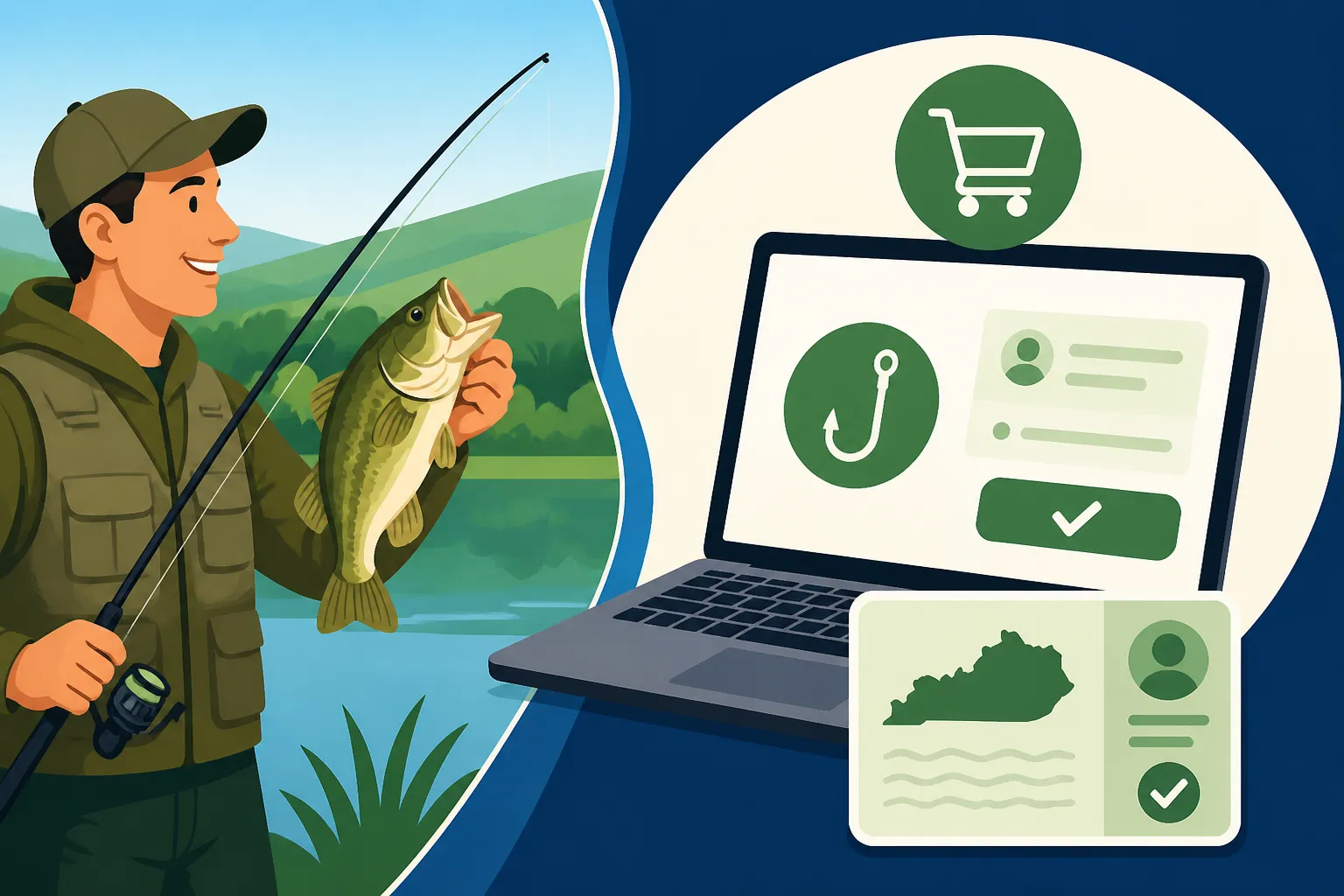
How to Buy a Kentucky Fishing License Online
There’s nothing quite like the sudden urge to hit the water, pack a cooler, grab your rod, and head out for a day of peace and casting in Kentucky. But that excitement can quickly turn into frustration when you realize you haven’t secured your fishing license yet. Luckily, those days of scrambling to a local vendor before they close are largely behind us. This comprehensive guide will walk you through everything you need to know about buying your Kentucky fishing license online, making sure you’re always ready to reel in your next big catch without a hitch.
Why Buying Your Kentucky Fishing License Online is the Smartest Move
Let's be honest, life in Kentucky is busy. Between work, family, and all the wonderful outdoor activities our state offers, adding another errand to your to-do list can feel like a chore. That's precisely why purchasing your fishing license online has become such a game-changer for so many anglers. It cuts out the hassle and gets you on the water faster, which is what we all really want, isn't it?
The Frustration of In-Person Purchases and Why Online Wins
Remember those days? You'd be all geared up, tackle box packed, maybe even a new lure from Amazon ready to go, only to remember you needed a license. Then came the frantic search for a sporting goods store, bait shop, or county clerk’s office that was actually open and not slammed with a line out the door. You'd rush over, wait your turn, fill out paperwork, and hope you had all the necessary documents like your driver's license and proof of residency. It was a time-consuming ordeal that could easily eat into your precious fishing time or, worse, derail your trip entirely.
Online purchasing completely bypasses these frustrations. The Kentucky Department of Fish and Wildlife Resources (KDFWR) portal is available 24 hours a day, 7 days a week. You can literally buy your license from your couch at midnight, from your truck at the boat ramp, or even from your phone while waiting for your coffee order. No lines, no limited hours, no wasted gas money driving around. It’s about maximum convenience and minimum stress, letting you focus on the important stuff, like what bait to use or where the fish are biting.
Instant Access and Peace of Mind
One of the biggest benefits of buying online is the immediate access you get to your license. The moment your transaction is complete, you can print your license right there and then. Or, even better, you can save a digital copy to your phone. Think about it: no more worrying about misplacing a small paper license or getting it soaked and illegible on the boat. Having it digitally means it’s always with you, as long as your phone is charged. This provides an incredible amount of peace of mind, knowing that if a game warden asks to see your license, you're covered, effortlessly. It’s also incredibly helpful when you're preparing for your trip and want to quickly verify your licenses are active before you head out. For more details on this, check out Digital vs Printed Kentucky Fishing License on the Water.
Step-by-Step Guide to Purchasing Your License Through the KDFWR Website
Navigating government websites can sometimes feel like trying to untangle a knotted fishing line – frustrating and time-consuming. But I promise you, the Kentucky Department of Fish and Wildlife Resources (KDFWR) has made their online license portal surprisingly user-friendly. Let’s break down the process into simple, manageable steps so you can get your license quickly and efficiently.
Navigating the Kentucky Department of Fish and Wildlife Resources Website
Your journey begins at the official KDFWR website. Don't worry about trying to memorize a super long URL; a quick search for "Kentucky fishing license KDFWR" will get you there. Once on the homepage, look for a prominent link or button that says something like "Buy a License" or "Licenses & Permits." They usually make these pretty easy to spot because they want you to buy licenses!
Clicking this link will typically take you to the secure KDFWR license portal. If you're a returning user who has purchased licenses online before, you might have an existing account. You’ll just log in with your customer ID (often your Social Security Number or a KDFWR-assigned ID) and password. If you're a first-timer, or if it's been a while, you'll likely need to create a new account or be prompted to look up your existing profile. This is usually a straightforward process where you'll input some basic personal information to verify your identity. The system is designed to guide you through, with clear prompts and instructions at each stage, taking much of the guesswork out of the process.
Essential Information You'll Need on Hand
Before you even click over to the KDFWR site, do yourself a huge favor and gather some key pieces of information. There’s nothing more annoying than being halfway through an online form only to realize you need to go digging for a document. Trust me, I’ve been there, and it just sours the whole experience.
Here’s what you’ll typically need:
- Your Full Legal Name: As it appears on your driver's license or official ID.
- Date of Birth: Crucial for age verification and determining eligibility for certain license types (like senior licenses or youth exemptions).
- Physical Address: For residency verification. This is super important because it determines whether you qualify for Kentucky resident rates.
- Driver’s License Number or State ID Number: This is usually the primary form of identification for the KDFWR system. If you don't have one, other forms of identification might be accepted, but it’s best to have your primary ID readily available.
- Social Security Number (SSN): For many states, including Kentucky, your SSN is used as your unique identifier in the licensing system. It helps track your purchase history and ensures you don't accidentally buy duplicate licenses or miss out on renewals.
- Hunter/Angler ID (if you have one): If you’ve purchased a license in Kentucky before, you might have a KDFWR-specific ID number. Having this can sometimes speed up the process, especially if you're looking to renew.
- Credit or Debit Card Information: Naturally, you'll need a valid payment method. Make sure the card number, expiration date, and security code are correct to avoid any transaction hiccups.
Having all this information ready will make the online purchase process incredibly smooth and quick, allowing you to breeze through the forms and get to the exciting part: fishing!
Choosing the Right License Type for Your Kentucky Adventure
Once your identity is verified, you'll reach the crucial step of selecting the correct license for your needs. This is where it's easy to get a little overwhelmed by the options, but let's simplify it. Kentucky offers a variety of licenses to cater to different anglers, whether you're a local who fishes every weekend or just visiting for a quick trip.
Here are the most common types you’ll encounter:
- Annual Resident Fishing License: This is the bread and butter for most Kentucky residents who plan to fish regularly throughout the year. It covers you from March 1st to the end of February the following year, regardless of when you purchase it. For specific costs, you might want to look at Kentucky Resident Annual Fishing License Costs $24.31.
- Annual Nonresident Fishing License: If you live outside Kentucky but love to fish our beautiful waters, this is your go-to. It also runs from March 1st to February 28th. Details on this can be found at Kentucky Nonresident Annual Fishing License Costs $58.14.
- 1-Day Resident Fishing License: Perfect for that spontaneous day trip or if you’re just trying out fishing for the first time. It's cost-effective for a single outing. Check out Kentucky Resident 1-Day Fishing License Costs $7.40 for pricing.
- 1-Day Nonresident Fishing License: Similar to the resident version, but for out-of-state visitors.
- 7-Day Nonresident Fishing License: An excellent option for nonresidents planning a week-long vacation to one of Kentucky’s fantastic lakes, like Lake Barkley or Lake Cumberland. This often provides better value than multiple 1-day licenses. Find out more at Kentucky Nonresident 7-Day Fishing License Costs $37.
Beyond the basic fishing license, you might also need a Trout Permit. If you plan to fish for trout in any of Kentucky's designated trout waters, this permit is mandatory, even if you have a general fishing license. Don't skip this if you're targeting trout; a game warden will definitely check! You can add this on during your online purchase, and it's always the same price for residents and nonresidents. For more detailed information on this, explore the Kentucky Trout Permit Guide.
Sometimes, special licenses like a combination hunting and fishing license, or a sportsman's license (which bundles various permits) might be available and offer better value if you participate in multiple outdoor activities. Always take a moment to consider your fishing plans for the upcoming year or trip. Will you be out once, or every other weekend? Are you targeting specific species that require additional permits? This foresight will help you choose wisely. For a broader overview of all available options, refer to the Kentucky Fishing License Costs and Types guide. Also, remember that Kentucky Fishing License Requirements for Kids vary, so check those details if you're buying for a minor.
Understanding Your Options: Resident vs. Nonresident, Annual vs. Short-Term
Choosing the right type of fishing license in Kentucky isn't just about clicking a button; it’s about understanding the nuances of residency and planning your fishing adventures effectively. Making the wrong choice can lead to overspending or, worse, fishing illegally. Let’s dive into these important distinctions.
Defining Residency for Kentucky Fishing Licenses
This is often where people get tripped up. It might seem straightforward, but residency status isn’t just about where you receive your mail. For the Kentucky Department of Fish and Wildlife Resources, your residency is typically determined by factors such as:
- Continuous Physical Presence: Generally, you must have resided in Kentucky for a minimum of 30 consecutive days immediately prior to applying for a resident license. This means you haven't just moved here yesterday and expect to qualify.
- Primary Domicile: Kentucky must be your primary place of abode. If you own property in Kentucky but primarily live in another state, you’re likely still considered a nonresident.
- Proof of Intent: Things like voter registration, income tax filings, and where your vehicles are registered can all play a role in proving your intent to be a Kentucky resident.
Why is this so important? Because resident licenses are significantly less expensive than nonresident licenses. If you incorrectly claim residency, you could face penalties for fishing without the proper license, which can include fines and revocation of privileges. It's just not worth the risk. If you’re unsure, it’s always best to err on the side of caution or contact KDFWR directly for clarification. For a comprehensive look at what applies to out-of-state anglers, our Kentucky Nonresident Fishing License Guide is an invaluable resource.
Annual vs. 1-Day vs. 7-Day: Maximizing Your Value
Deciding between an annual license and a shorter-term option boils down to how often you plan to wet a line in Kentucky waters. It's a simple math problem that can save you a good chunk of change.
Annual Licenses:
If you're a dedicated angler who plans to fish more than a handful of times during the license year (which runs from March 1st to February 28th), an annual license is almost always your best bet. Even if you only go out six or seven times, the annual pass often pays for itself. It gives you the freedom to seize any opportunity – a sunny Saturday, an unexpected day off, or just an hour after work – without having to buy a new license each time. This is especially true for residents, where the Kentucky Resident Annual Fishing License Costs $24.31 is quite reasonable for a full year of fishing.
Short-Term Licenses (1-Day, 7-Day):
These are perfect for:
- Vacationers: If you're visiting Kentucky for a specific fishing trip, say a long weekend at Lake Cumberland or a week-long stay near Lake Barkley, a 1-day or 7-day nonresident license makes perfect sense. Why pay for a full year if you’ll only be here for a few days? For example, the Kentucky Nonresident 7-Day Fishing License Costs $37 is ideal for a week-long fishing getaway.
- Beginners or Casual Anglers: If you’re introducing a friend to fishing, or only go once or twice a year, a 1-day license is a great way to legally fish without a significant upfront investment.
- Trying Before Buying: Maybe you’re new to the state and want to try out Kentucky fishing before committing to an annual license. A 1-day license is a low-cost entry point.
To illustrate the cost-benefit, consider this table comparing options:
| License Type | Resident Cost (Approx.) | Nonresident Cost (Approx.) | Break-Even Point (compared to 1-Day) | Best Use Case |
|---|---|---|---|---|
| Annual Fishing License | $24.31 | $58.14 | 4-5 1-Day trips | Frequent local anglers |
| 1-Day Fishing License | $7.40 | $15.86 | 1-3 trips per year | Occasional, spontaneous, or trial trips |
| 7-Day Nonresident Fishing License | N/A | $37.00 | 3 1-Day Nonresident trips | Week-long vacations for out-of-state anglers |
As you can see, the break-even point for an annual resident license vs. 1-day resident licenses is somewhere around 4-5 trips. If you fish more than that, an annual license is the clear winner. This is elaborated further in our article $7.40 vs $24.31: When a 1-Day License Beats the Annual. Take a moment, think about your upcoming year, and choose the option that truly maximizes your value while keeping you legal on the water.
What Happens After You Buy: Printing, Digital Access, and Renewal
So, you’ve successfully navigated the KDFWR website, chosen your license type, and your payment has gone through. Congratulations! But the process doesn’t stop there. Knowing how to properly access, carry, and renew your license is just as important as the purchase itself. This is where you solidify that peace of mind we talked about earlier.
Getting Your License: Print, Screenshot, or App?
Once your purchase is complete, the KDFWR system will typically provide you with a confirmation page that includes your new license information. You'll usually have a few options for carrying proof of your license:
- Print It Out: This is the most traditional method. You can print the license directly from the confirmation page or from an email attachment that the KDFWR usually sends. Having a physical copy in your tackle box or wallet is a reliable backup, especially if you're fishing in areas with spotty cell service. Just try to keep it dry! Many anglers laminate their paper licenses for durability, which is a clever trick.
- Digital Copy (Screenshot or Email): In today's digital world, carrying a physical copy isn't always necessary. The KDFWR recognizes this, and a clear screenshot of your license on your smartphone, or having the email confirmation readily accessible, is generally accepted as valid proof. Make sure the screenshot is legible and shows all the critical information, like your name, license type, and expiration date. This is incredibly convenient and often preferred by many anglers who don't want to carry extra paper. This topic is explored in more detail in Digital vs Printed Kentucky Fishing License on the Water.
- KDFWR App: For the tech-savvy angler, the KDFWR often has a dedicated mobile app. These apps are fantastic because they allow you to store your license digitally, receive important alerts, and sometimes even access regulations or fishing reports. It centralizes all your KDFWR interactions in one place. If available, I highly recommend downloading it for ultimate convenience.
Regardless of your chosen method, the key is to ensure you always have proof of your valid license with you while fishing. A game warden can and will ask to see it, and not having it can lead to unnecessary headaches, even if you’ve technically purchased it.
Keeping Track of Your License Year and Renewal Dates
One common mistake even experienced anglers make is forgetting about license expiration. Kentucky's fishing license year runs from March 1st to February 28th of the following year. This means that if you buy a license on September 1st, it still expires on February 28th. It doesn't run for a full 12 months from your purchase date like some other state's licenses. This is a critical detail that often catches people off guard. You can learn more about this specific timing at Kentucky Fishing License Year Runs March 1 to February 28.
To avoid accidentally fishing with an expired license (which carries penalties), here are some tips:
- Mark Your Calendar: Set a reminder on your phone or physical calendar for early February each year.
- Email Reminders: The KDFWR often sends out email reminders to renew, so make sure your contact information is up-to-date in your account.
- Automatic Renewal: Some states offer an automatic renewal option for annual licenses. Check if KDFWR provides this service; it’s the ultimate set-it-and-forget-it solution.
- Plan Your Purchases: If it's late in the license year (e.g., January or February), consider if it's worth buying a license that will expire in a month or two. Sometimes, waiting until March 1st to purchase a license for the new year might make more sense, especially if you don't plan to fish much in those last few weeks of the old license year.
Renewing your Kentucky fishing license online is typically even easier than the initial purchase. You'll just log into your KDFWR account, and the system should prompt you to renew your existing license(s) with pre-filled information. It's usually a matter of confirming your details and processing payment. We have a detailed guide on How to Renew Your Kentucky Fishing License Online that walks you through that process step-by-step, ensuring you're always ready for the upcoming season. Staying on top of these dates means more time fishing and less time worrying!
Common Pitfalls to Avoid When Buying Your License Online
Even with the ease of online purchasing, a few common slip-ups can turn a smooth transaction into a frustrating experience. A little vigilance can save you a lot of grief. Let’s look at some typical pitfalls and how to steer clear of them.
Double-Checking Details Before You Hit "Confirm"
This might sound obvious, but in the rush to get your license and head out, it's incredibly easy to make a small, yet significant, error. You’ve filled out the forms, selected your license, and you’re just one click away from hitting "confirm" or "submit." Stop right there! Take an extra 30 seconds to review everything:
- Your Name and Date of Birth: Are they spelled correctly and accurate? A typo here can cause issues with identity verification if you're ever checked by a game warden.
- Residency Status: Did you accidentally select "nonresident" if you're a Kentucky resident, or vice-versa? This is a common mistake that can lead to paying too much or purchasing an invalid license. Remember our discussion on defining residency – it's crucial.
- License Type and Term: Did you intend to buy an annual license but accidentally select a 1-day? Or perhaps you forgot to add that essential trout permit? Double-check that you've got exactly what you need for your planned fishing activities.
- Address and Contact Info: Ensure your mailing address and email are correct. This is how KDFWR will send any important updates or renewal reminders.
The hassle of correcting an error after the purchase can be significant. It often involves contacting customer support, which means phone calls, emails, and waiting times. It’s far simpler to prevent the mistake in the first place with a quick review. This is also a good reminder to be patient, even when you're super excited to hit the water with that new fishing reel you picked up from Amazon.
Ensuring Your Payment Goes Through Smoothly
The final hurdle in your online purchase is payment. While online payment systems are generally reliable, issues can arise. A failed transaction can be incredibly frustrating, especially if you’re trying to buy a license at the last minute.
Here are a few things to keep in mind to ensure a smooth payment process:
- Valid Credit/Debit Card: Make sure your card hasn't expired and that all the numbers, including the security code (CVV), are entered correctly. It's a small detail, but a common source of payment failure.
- Sufficient Funds/Credit Limit: Ensure your bank account or credit card has enough available funds to cover the cost of the license and any associated processing fees.
- Browser and Internet Connection: Sometimes, a weak internet connection or an outdated web browser can cause transaction timeouts. If you encounter an issue, try refreshing the page, clearing your browser’s cache, or even switching to a different browser or device.
- Payment Gateway Security: The KDFWR uses secure payment gateways. If your bank's fraud detection system flags the transaction (especially if it's a new vendor for you), you might receive a text or email asking for verification. Respond promptly to these to allow the transaction to proceed.
If your payment repeatedly fails, don't keep trying the same thing over and over. Take a break, verify your card details, check your bank account, and then try again. If the problem persists, it might be time to move to the next step: seeking support.
What to Do If You Encounter Issues or Need Support
Even the most user-friendly online systems can throw a curveball sometimes. Maybe your payment won’t go through, or you accidentally purchased the wrong license type. Don't panic! The KDFWR has systems in place to help you out.
Contacting KDFWR for Assistance
If you run into any snags during your online license purchase, the first and best course of action is to contact the Kentucky Department of Fish and Wildlife Resources directly. They are the experts, and their customer service staff is there to assist anglers like you.
- Phone Support: The KDFWR typically has a dedicated licensing or customer service hotline. You can usually find this number prominently displayed on their website, often in the "Contact Us" section or directly on the license portal pages. Be prepared for potentially longer wait times during peak seasons (like right before March 1st when everyone is renewing) or during standard business hours. Have your personal information and any transaction details (like a confirmation number for a failed attempt) ready when you call.
- Email Support: Many government agencies also offer email support. This can be a good option for less urgent issues or if you prefer a written record of your communication. Again, provide as much detail as possible in your email, including screenshots of any error messages you received.
- Local Offices: While the goal is online convenience, if you’re truly stuck and prefer in-person assistance, you can always visit a KDFWR regional office or a designated vendor (like some sporting goods stores) that processes licenses. However, always call ahead to ensure they can handle your specific issue.
Remember, the staff at KDFWR wants you to have a valid license and enjoy Kentucky's outdoors, so they are generally very helpful. Just be patient and clear when explaining your problem.
Troubleshooting Common Online Purchase Problems
Before picking up the phone, you can often resolve some common issues yourself. Think of it as a quick self-diagnosis to get you back on track:
- "My Payment Isn't Going Through!":
- Check Card Details: Double-check the card number, expiration date, and CVV.
- Funds/Limit: Verify with your bank that you have sufficient funds or credit limit.
- Fraud Alert: Did your bank send you a fraud alert? Confirm the transaction with them.
- Try Another Card: If possible, try a different credit or debit card.
- "The Website Is Acting Weird / I Can't Progress!":
- Refresh: Simply refreshing the page can often clear up minor glitches.
- Clear Cache/Cookies: Your browser's stored data can sometimes interfere. Clear your browser's cache and cookies and try again.
- Different Browser/Device: Try using a different web browser (e.g., Chrome instead of Firefox, or vice-versa) or a different device (laptop vs. phone).
- Internet Connection: Ensure your internet connection is stable.
- "I Forgot My Password / Can't Log In!":
- "Forgot Password" Link: Most systems have a "Forgot Password" or "Recover Account" link. Follow the prompts to reset it. You'll likely need access to the email address associated with your account.
- Look Up ID: If you forgot your KDFWR Hunter/Angler ID, there's usually a lookup tool on their site that requires your name and date of birth.
By trying these troubleshooting steps, you might resolve your issue quickly and avoid a call. But if all else fails, don't hesitate to reach out to the KDFWR; that's what they're there for!
Disclaimer
Please be aware that while this guide provides comprehensive information, fishing regulations and license requirements in Kentucky can change. It is always the angler's responsibility to verify the most current regulations and license information directly with the Kentucky Department of Fish and Wildlife Resources (KDFWR) before fishing. This content is for informational purposes only and should not be considered legal advice.